SOMEDAY/HTML | CSS | JS
[CSS] 배경 넣기 & margin collapse
아이엠제니
2023. 1. 3. 20:21
💾 Editor: VSCode
🐥 background-size
- contain: 세로 고정, 가로로 이미지 반복됨
- cover: 이미지를 꽉 채움
https://developer.mozilla.org/en-US/docs/Web/CSS/background-size
🐥 background-repeat
- no-repeat: 배경 반복 금지
https://developer.mozilla.org/ko/docs/Web/CSS/background-repeat
🐥 background-position (배경 위치 조정)
- center
- right
- left
- top
- bottom
https://developer.mozilla.org/en-US/docs/Web/CSS/background-position
🐥 background-attachment (스크롤 시 배경 위치 조정)
- scroll
- fixed
- local
https://developer.mozilla.org/en-US/docs/Web/CSS/background-attachment
🐥 filter (박스에 보정)
- brightness
- blur
👉 margin collapse 현상
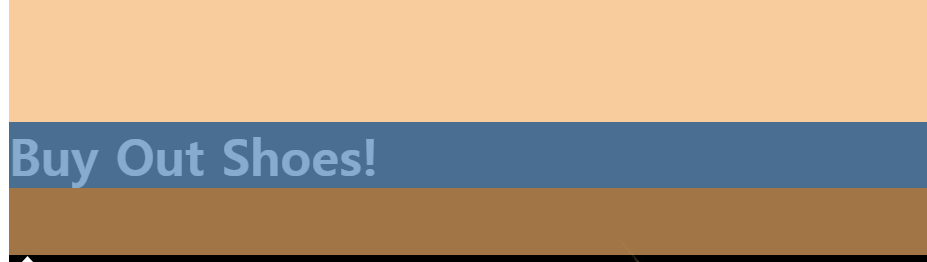
위쪽 테두리가 겹쳐서 margin이 합쳐짐
layout2.html
    <div class="main-background">
        <h4 class="main-title">Buy Out Shoes!</h4>
    </div>
style.css
.main-background {
    width: 100%;
    height: 500px;
    background-image: url(../img/moon.jpg);
    background-size: cover; /* 배경 사이즈 조정, 알아서 꽉 채움*/
    background-repeat: no-repeat; /* 배경 반복 금지 */
    background-position: center; /* 배경 위치 조정가능 */
    filter: brightness(70%);
    padding: 1px;

}

.main-title {
    color: white;
    font-size: 40px;
    margin-top: 100px; /* margin collapse 현상 */
}
👉 실습
layout2.html
    <div class="main-background">
        <h4 class="main-title">Fly me to the moon</h4>
        <h2 class="question">Do you want to go?</h2>
        <button class="button">click this button</button>
    </div>
style.css
.main-background {
    width: 100%;
    height: 500px;
    background-image: url(../img/moon.jpg);
    background-size: cover; /* 배경 사이즈 조정, 알아서 꽉 채움*/
    background-repeat: no-repeat; /* 배경 반복 금지 */
    background-position: center; /* 배경 위치 조정가능 */
    filter: brightness(70%);
    padding: 1px;

}

.main-title {
    color: white;
    font-size: 40px;
    margin-top: 150px; /* margin collapse 현상 */
    text-align: center;
}

.question {
    color: white;
    text-align: center;
}

.button {
    margin-left: auto;
    margin-right: auto;
    display: block;
}
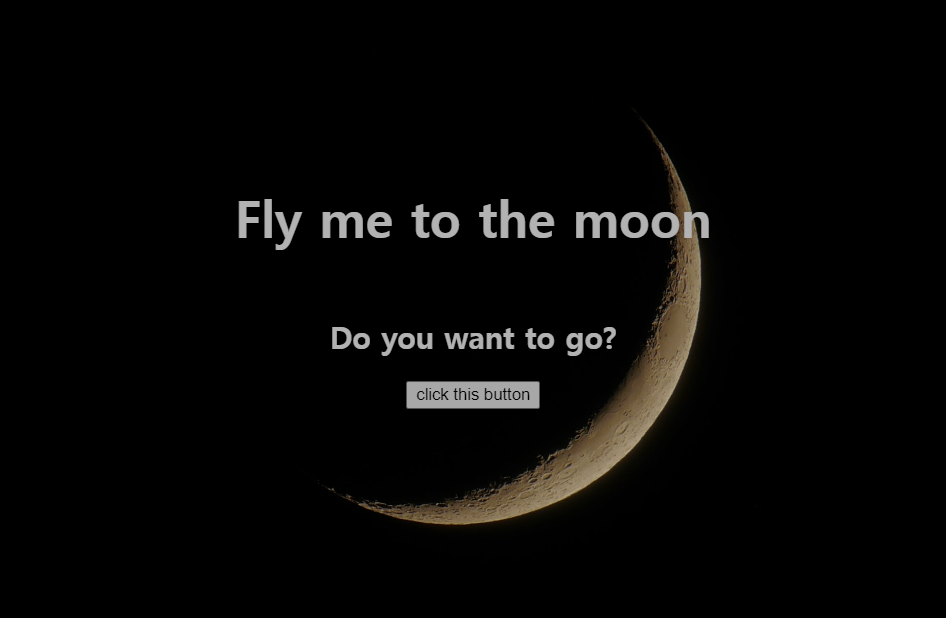
헤드라인과 버튼 가운데 정렬함
헤드라인은 텍스트이기 때문에 가운데 정렬을 할 때 'text-align' 사용.
button은 마법의 가운데 정렬 코드 사용함.
버튼의 경우 블록이 아니라 span과 같은 형태라서 css에서 display를 block으로 해줬다.
코딩애플 공부 기록
300x250